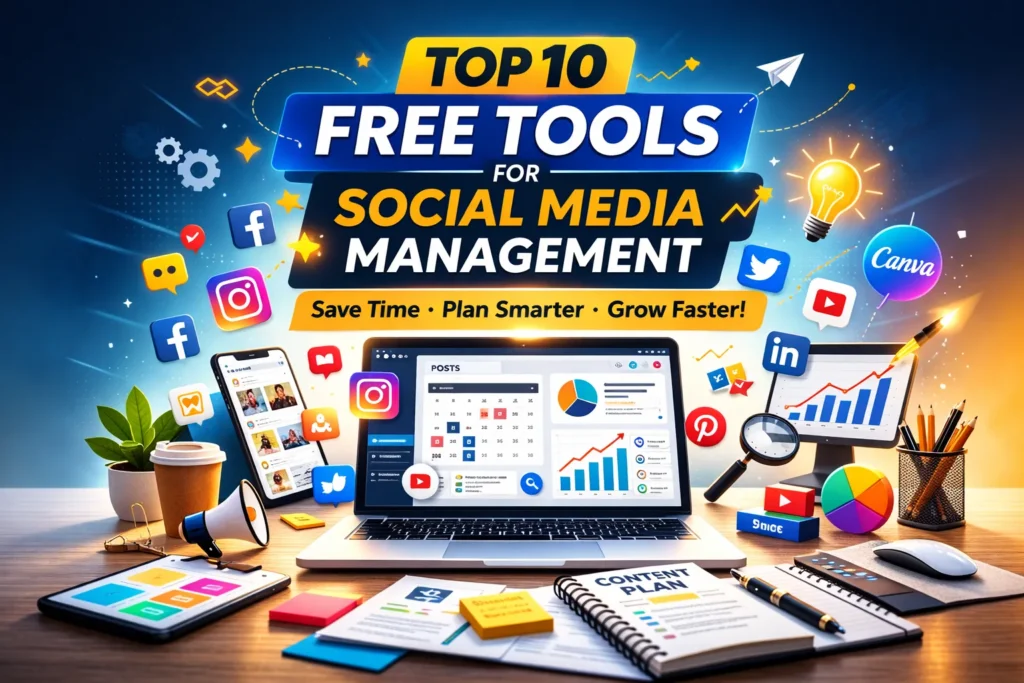
Managing social media sounds easy until you actually start doing it every day. Posting consistently, replying to comments, designing creatives, tracking performance, and planning content — all of it quickly becomes overwhelming, especially for small businesses and creators working with limited budgets.
The good news? You don’t need expensive software to manage your social media professionally.
Today, there are several powerful free social media management tools that can help you schedule posts, design content, analyze performance, and stay organized without spending a rupee.
If you’re a startup founder, freelancer, marketer, or small business owner trying to grow online efficiently, these tools can genuinely make your workflow smoother.
Let’s explore the best free options available right now.
Why Free Social Media Tools Matter for Small Businesses
Most small businesses don’t fail on social media because of poor ideas — they struggle because of inconsistency. When posting becomes manual and chaotic, motivation drops and growth slows.
Free tools solve three major problems:
- They reduce daily workload
- They help maintain consistency
- They provide insights you normally pay for
Instead of juggling multiple apps, the right tools create a simple system you can follow every week.
1. Buffer — Simple Scheduling Without Complexity
Buffer feels like the calm, minimal version of social media management tools. If you’re someone who gets overwhelmed by dashboards full of buttons, this platform is refreshingly simple.
You can schedule posts for platforms like Instagram, Facebook, LinkedIn, and X from one place. The free plan is enough for individuals or small teams managing a few accounts.
What makes Buffer stand out is how natural the workflow feels. You write a post, choose a time slot, and move on — no learning curve required.
For beginners, it’s often the easiest starting point.
2. Meta Business Suite — Surprisingly Powerful (and Free)
Many businesses ignore Meta Business Suite because it comes directly from Facebook, but it’s actually one of the most underrated tools available.
If your audience is active on Facebook or Instagram, this tool allows you to:
- Schedule posts and reels
- Reply to messages from both platforms in one inbox
- Track engagement insights
Since it connects directly with Meta platforms, reliability is excellent. For local businesses especially, this tool alone can handle most daily social media tasks.
3. Canva — More Than Just a Design Tool
Canva has quietly become a social media manager’s best friend.
Even if you have zero design skills, you can create professional posts, stories, thumbnails, and carousels within minutes. The free version includes thousands of templates tailored specifically for social media.
What makes Canva powerful isn’t just design — it helps maintain brand consistency. Once you set fonts and colors, creating future posts becomes much faster.
Many small brands run their entire content production using Canva alone.
4. Hootsuite Free Plan — A Classic That Still Works
Hootsuite has been around for years, and there’s a reason marketers still use it.
Its free version allows limited scheduling but provides a clear overview of your social channels. You can monitor activity streams and manage multiple profiles without switching tabs constantly.
While premium features are locked behind paid plans, beginners can still benefit from its structured dashboard.
5. Later — Ideal for Visual Content Planning
If Instagram is your primary growth channel, Later is worth exploring.
The visual content calendar lets you preview how your feed will look before posting. This is extremely helpful for brands that care about aesthetics, such as cafés, fashion brands, wellness businesses, or creators.
Dragging and rearranging posts visually makes planning feel creative instead of technical.
6. Google Sheets — The Hidden Social Media Tool
This might sound surprising, but many experienced marketers still rely on Google Sheets for content planning.
Why? Because simplicity works.
A basic content calendar in Sheets helps you organize:
- Post ideas
- Captions
- Publishing dates
- Platform strategy
Unlike complex software, you fully control the workflow. For teams or freelancers managing multiple clients, it remains one of the most flexible free solutions available.
7. CapCut — Easy Video Editing for Reels and Shorts
Short-form video dominates social media today, and CapCut makes video editing accessible to everyone.
You don’t need professional editing experience. The app includes ready-made transitions, captions, effects, and music that help create engaging reels quickly.
Many viral Instagram and TikTok videos are edited entirely using this free tool.
For small businesses trying to enter video marketing, CapCut removes the biggest barrier — complexity.
8. Metricool — Analytics Made Understandable
Analytics often intimidate beginners because dashboards look technical.
Metricool simplifies performance tracking by presenting data visually. You can see which posts performed best, when your audience is active, and how engagement changes over time.
Instead of guessing what works, you start making decisions based on patterns.
And better decisions lead to faster growth.
9. Notion — Content Planning Without Chaos
Notion has become extremely popular among creators and marketers because it combines notes, planning, and collaboration in one workspace.
You can build a complete social media system inside Notion — from idea storage to publishing workflows.
Many teams use it as a “content brain,” where every idea lives before becoming a post.
Once organized, content creation feels far less stressful.
10. ChatGPT — Your Content Brainstorming Assistant
Yes, AI tools are now part of modern social media workflows.
ChatGPT helps generate caption ideas, post angles, hooks, and content inspiration when creativity runs low. Instead of staring at a blank screen, you start with structured ideas and refine them in your brand voice.
The key is using AI as assistance, not replacement — adding your experience and personality afterward.
Choosing the Right Tools (Without Overcomplicating Things)
One mistake many beginners make is trying to use every tool at once.
You don’t need ten platforms running simultaneously.
A simple setup works best:
- One scheduling tool
- One design tool
- One planning system
- One analytics tool
That’s enough to run professional social media operations.
Consistency always beats complexity.
Final Thoughts
Social media management doesn’t have to be expensive or exhausting. The right free tools can transform how you plan, create, and publish content — especially if you’re a small business trying to grow sustainably.
Start small. Pick two or three tools that fit your workflow and build a routine around them.
Over time, you’ll notice something important: social media stops feeling like a daily burden and starts becoming a predictable growth system.
And that’s when real results begin.
FAQ’s
1. Are free social media management tools enough for small businesses?
Yes, for most small businesses and creators, free tools are more than enough in the beginning. They allow you to schedule posts, design graphics, and track performance without investing in expensive software. Paid tools usually become necessary only when you manage multiple clients or large-scale campaigns.
2. Which free tool is best for scheduling social media posts?
It depends on your needs. Buffer is great for simplicity, while Meta Business Suite works best if you mainly use Facebook and Instagram. If visual planning matters, tools like Later provide a better experience for Instagram-focused brands.
3. Can I manage all social media platforms using free tools?
You can manage most major platforms using a combination of free tools, though some limitations may apply. Free plans often restrict the number of accounts or scheduled posts, but they are still practical for small teams or individual marketers.
4. How do beginners start managing social media efficiently?
The easiest way to start is by keeping things simple. Use one tool for scheduling, one for design, and a basic content calendar for planning. Trying too many tools at once usually creates confusion instead of productivity.
5. Do free social media tools include analytics features?
Many free tools offer basic analytics such as engagement rate, reach, and post performance. While advanced reporting is usually part of paid plans, the free insights are enough to understand what content works and what doesn’t.
6. Is Canva enough for creating social media content?
For most small businesses, Canva is more than sufficient. It offers ready-made templates, brand kits, and easy editing features that allow non-designers to create professional-looking posts quickly.
7. How often should I schedule social media posts?
Consistency matters more than frequency. Posting three to five times per week is generally effective for small businesses. Scheduling content in advance using free tools helps maintain regular posting without daily effort.
8. Are AI tools helpful for social media management?
AI tools can be very helpful for brainstorming ideas, writing captions, and overcoming creative blocks. However, adding your personal tone and brand voice is important to keep content authentic.
9. What is the biggest mistake people make when using social media tools?
The most common mistake is relying only on automation. Scheduling posts is useful, but engagement still requires human interaction — replying to comments, messages, and building relationships with followers.
10. When should a business upgrade to paid social media tools?
You should consider upgrading when you start managing multiple brands, need advanced analytics, require team collaboration features, or want deeper automation. Until then, free tools can handle most daily tasks effectively.